
01 Video
Polished,
Polished,
automatically.
Auto-zoom follows the cursor, click effects clarify each action, and silence detection tightens the pacing.
Native screen recording for macOS
AutoEditz turns one screen recording into a polished video, a step-by-step guide, and one link anyone can follow.
Record the process once. AutoEditz handles the presentation, the documentation, and the delivery.
Auto-zoom follows the cursor, click effects clarify each action, and silence detection tightens the pacing.
Turn the recording into ordered instructions with frames, annotations, and notes you can review.
Viewers watch the video or follow the guide without installing the app.
The tools that turn a raw capture into something people can actually follow.
Follows the cursor, so the action always stays in focus.
Click effects make every action easy to see.
Silence and filler detection help tighten the result.
Place the recording on a wallpaper with padding and soft shadows.
Recording, editing, and transcription can run on your Mac. You choose when to publish.
Translated guides and narration, without recording the process again.
Drag to compare a raw screen capture with the AutoEditz export.
Use full screen, one window, or a custom region, with microphone and system audio.
Adjust the video and the generated steps before anything is shared.
Publish once. The same link opens the video and the guide.
Choose the format, quality, and framing, then check the live preview before you export.
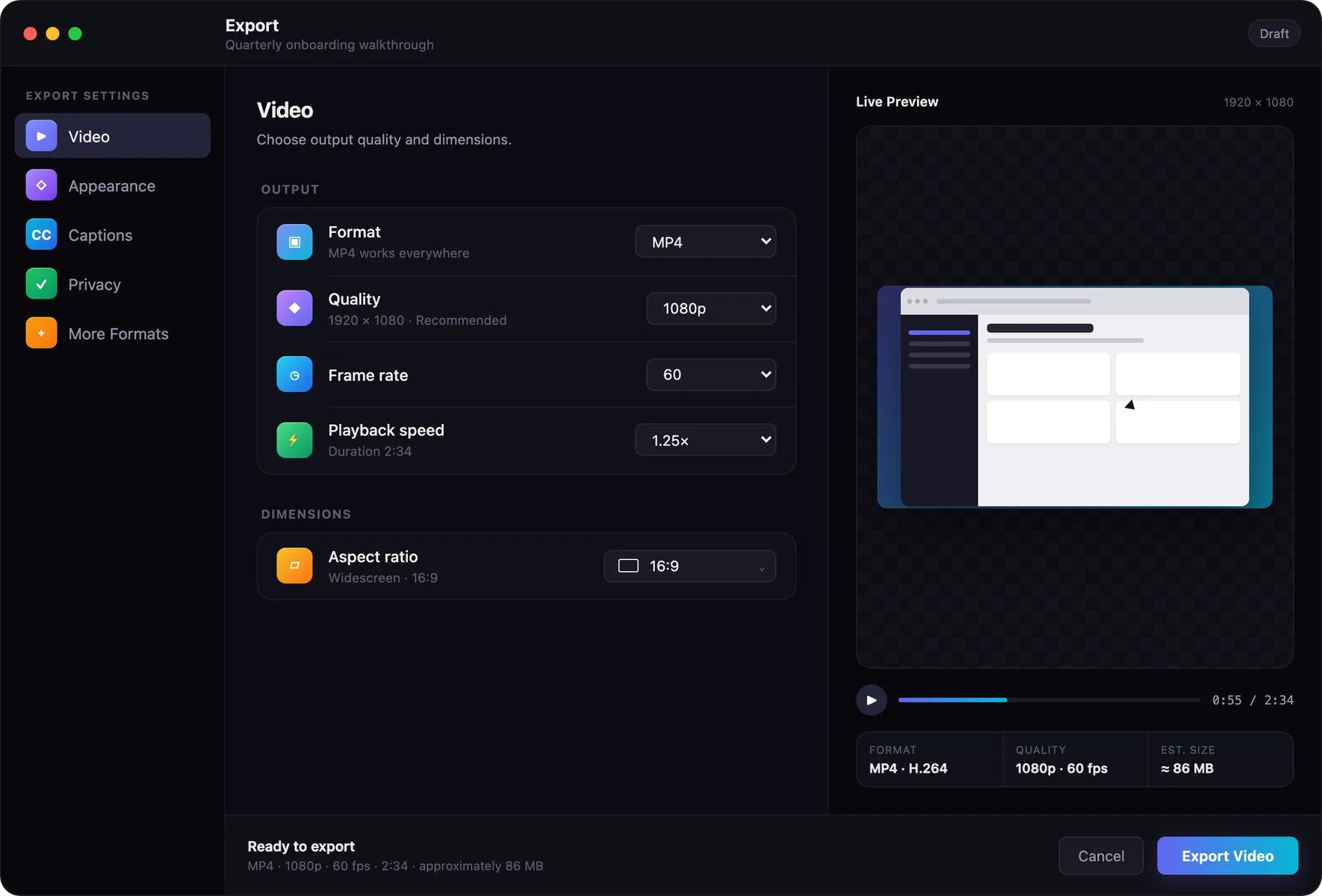
Start with the native Mac app, then return to your published work from the AutoEditz web app.
Requires macOS 26.4 or later
A native Mac screen recorder that turns one recording into a polished video, a step-by-step guide, and a single share link.
AutoEditz requires macOS 26.4 or later.
Screen Recording access. Microphone and camera permissions are optional and only requested when you turn them on.
Local recordings stay on your Mac unless you explicitly export or publish them.
No. Viewers can watch the video or follow the guide in any browser.
Open Account in the app to see available plans. Subscriptions are billed and managed by the App Store, and Restore Purchases works after moving to another Mac.
Visit Support for setup, permissions, publishing, and account help.